Your open tabs, grouped, on every new tab.
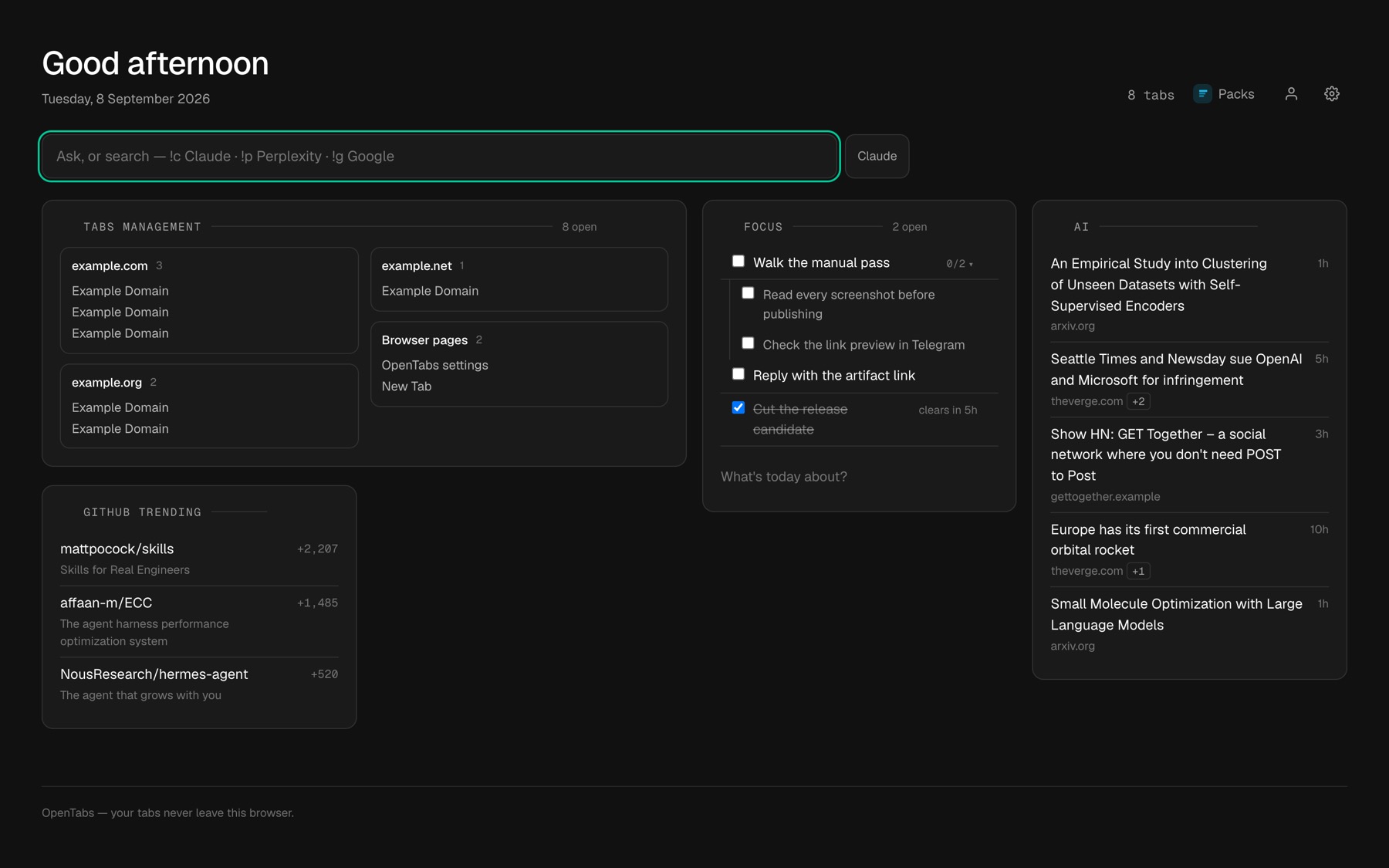
Most new tab pages show you a grid of links you already have bookmarked. OpenTabs shows you the tabs you actually have open — grouped by site, sorted by what you touched last, closable from the page — above a briefing you assemble yourself.
Free · No account · Open source (AGPL-3.0-or-later)
Features
What goes above the tabs is yours.
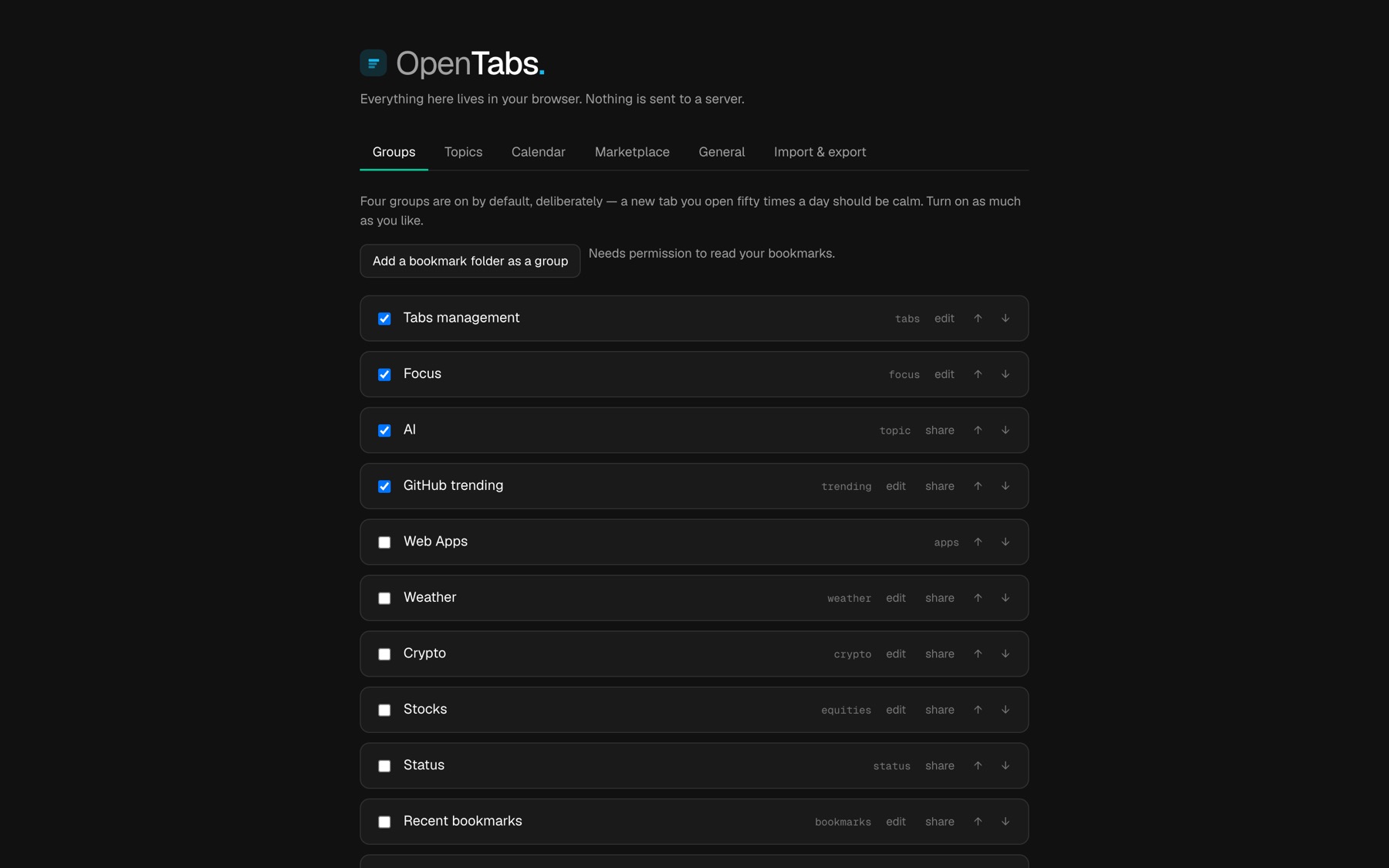
Every group is optional, reorderable, and off until you turn it on.
Topics
Any subject you can name, from RSS, Hacker News, arXiv, Reddit or an X search — deduplicated across sources and ranked, not concatenated.
Markets
Crypto and equities, at the interval you choose.
Weather
From coordinates you set. No location permission, no IP lookup.
Focus
A to-do list with sub-tasks, reordering, and items that clear themselves six hours after you tick them.
Calendar
A read-only ICS address. Real recurrence handling, not a naive expansion.
Tabs management
Tabs from every window in one list, grouped by site. Duplicates closable in one press, a Merge windows button that moves them all into the window you are in, and stale New Tab pages closed on a schedule you set.
How it works
It's already there when you look.
You open a new tab thirty to a hundred times a day. A page that thinks for a moment first is a page that annoys you a hundred times a day — so OpenTabs does all its thinking beforehand, and opening a tab is just reading the answer.
The extension quietly fetches, reads and ranks everything you asked for, in the background.
The finished page is stored on your machine, ready to be read in one go.
It reads that one answer and draws. No waiting, no spinner, nothing to load.
All the work happens where nobody is waiting. The page itself is about 19 KB, and opening it makes no network request at all — a budget the test suite enforces, so it stays true as the product grows.
Privacy
Nothing about you is stored anywhere but your browser.
Not a policy — an architecture, and one that can be checked.
No account to use it
Your configuration lives in your own browser profile. There is no server holding it, so there is no server to breach, subpoena or shut down.
Permissions asked when needed
A group you never enable never asks for a site, and never makes a request. The install prompt is not where you agree to everything up front.
Anonymous by construction
Signing in — optional, and only to publish or like a pack — stores a one-way digest. The marketplace database has no column that could answer "what has this account liked".
Pricing
All of it is free and open source, and there is nothing to cancel.
Not a free tier. There is no paid one to sit above it, no trial, and no card anywhere — because there is no server running up a bill on your behalf.
The extension
Free, under the AGPL-3.0-or-later licence, and the source is the build. Every group, every setting, every feature — there is nothing held back behind a plan.
The marketplace
Free to browse, install and publish. Nothing is sold there and nothing is sponsored; a pack is one person's configuration handed to the next.
What you might pay for
Nothing to us. A few optional groups use an API you already hold a key for — an X search, say. You bring the key, and OpenTabs never sees a bill.
Download
One click on Chrome, Edge and Firefox.
Chrome 121 or later, Edge, or Firefox. On all three it installs from the browser's own store.
Then open a new tab. Your open tabs are already grouped — that part needs no configuration at all.
Each browser, one at a time: Install OpenTabs on Chrome, Edge and Firefox.
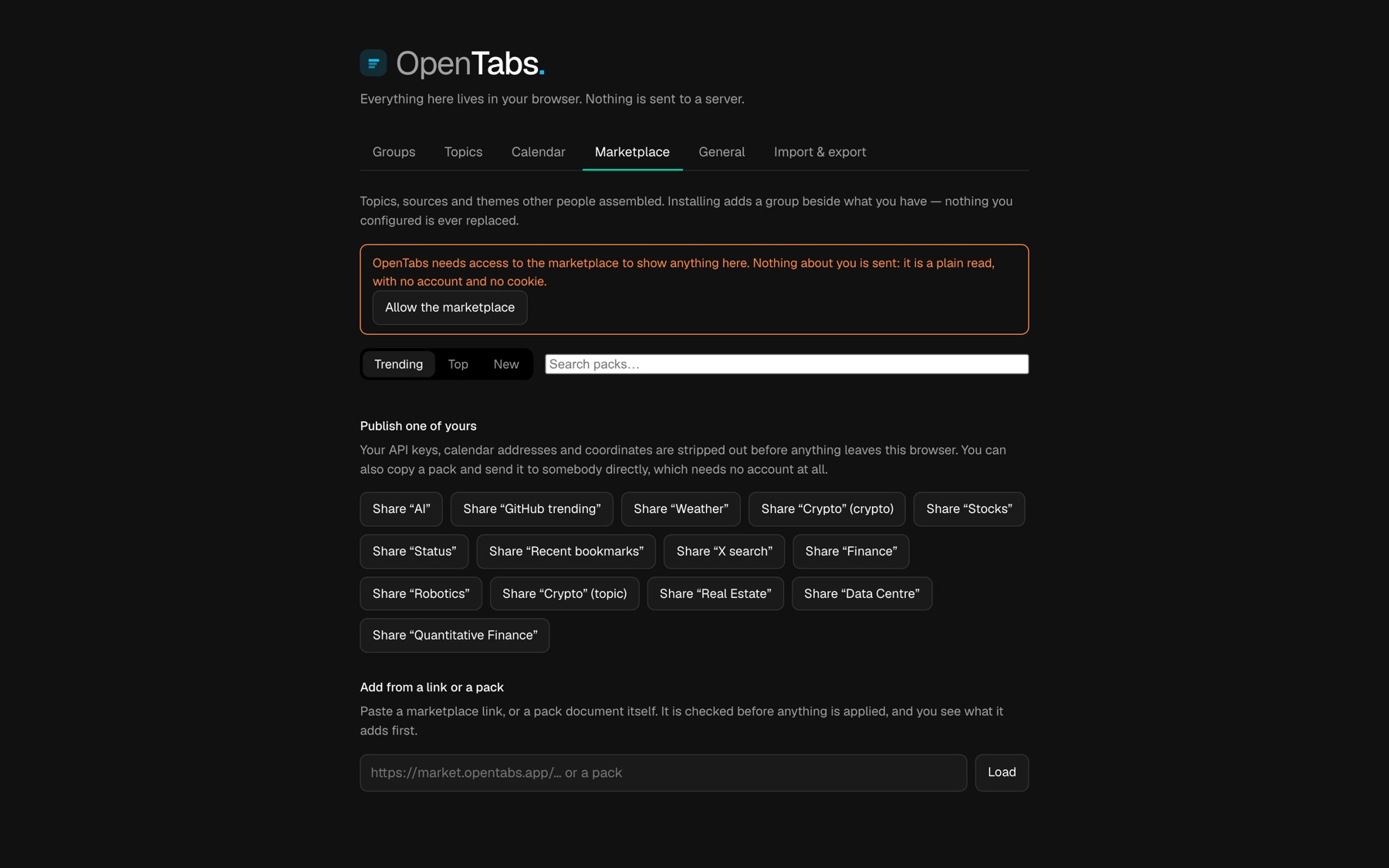
Then add what you want above them in Settings — or install a ready-made pack from the marketplace and start from someone else's hour of work. That part is optional.
Prefer to build it yourself? cargo test --workspace then
npm ci && npm run build in apps/extension. The
source is AGPL-3.0-or-later.
FAQ
The things people ask before installing it.
- What is OpenTabs?
- OpenTabs is a free, open-source browser extension for Chrome, Edge and Firefox. It replaces the new tab page with the tabs you already have open, from every window, grouped by site. You can close duplicates in one press and merge your windows into one. With them is a briefing you choose: news topics, markets, weather, a calendar and a to-do list. It is a browser extension only: there is no command-line tool and no npm package to install.
- Does OpenTabs need an account?
- No. OpenTabs works completely without one, and your settings live in your own browser profile rather than on a server. Signing in is optional and is only used to publish a pack to the marketplace or to like one — never to store your configuration.
- What does OpenTabs send anywhere?
- Only the requests needed to fill the groups you turned on — a weather API if you added weather, a news feed if you added that topic. The extension itself carries no analytics, no telemetry and no account behind it. A group you did not enable makes no request at all, and the extension asks for a site's permission the first time it needs it rather than at install.
- How fast is the new tab page?
- It ships about 19 KB gzipped — markup, styles and script together — loads no WebAssembly and makes no network request when it opens. All fetching, parsing and ranking happens in the background service worker beforehand, so opening a tab is a single read from local storage followed by a paint.
- Which browsers does OpenTabs support?
- Chrome 121 or later, Edge, and Firefox. Chrome 121 is the floor because that is the version that reports when each tab was last used, which is what lets OpenTabs sort and close stale tabs correctly.
- What is a pack?
- One group's configuration — its sources, its query, its layout — as a document you can hand to someone. Your API keys, calendar addresses and coordinates are stripped out before it leaves your browser. You can publish one to the marketplace or just send the file to a colleague; the second needs no account.
- Is OpenTabs open source?
- Yes, under the AGPL-3.0-or-later licence. The grouping, ranking and parsing are a Rust library compiled to WebAssembly, and the whole extension is vanilla TypeScript with no framework.
- How do I install OpenTabs on Chrome?
- From the Chrome Web Store, in one click, where it is listed as Tab Manager - Duplicates & Merge | OpenTabs. It needs Chrome 121 or later and nothing else: no Node.js and no command line. On Edge and Firefox it installs from their stores the same way.
- Is OpenTabs free, or is there a paid plan?
- All of it is free and open source. There is no paid plan, no trial and no card anywhere. A few optional groups use an API you already hold a key for; you bring the key, and nothing is paid to us.
- Does OpenTabs collect or sell my browsing data?
- No. Your open tabs are read by the extension and never leave the browser. The extension itself has no account, no analytics and no telemetry, so there is nothing collected that could be sold.
- Does OpenTabs sync between browsers?
- Optionally. Sync is off by default. Turn it on in Settings and your settings, to-dos, Focus list, calendar addresses and API keys are encrypted on your own device before they leave it; the relay holds ciphertext only, and you can point it at a relay you run yourself.
- How do I get help or report a problem?
- Email hello@opentabs.app, or report a problem on GitLab.
Longer answers, on the blog
Get it
Your next new tab could be the useful one.
Free, no account, and it works before you configure anything at all.